
คู่มือการติดตั้ง
ติดตั้งและเริ่มใช้งาน Lark AutomaDoc ในพื้นที่ทำงาน Lark ของคุณได้ภายในไม่กี่นาที
สิ่งที่ต้องเตรียม
หัวข้อที่มีชื่อว่า “สิ่งที่ต้องเตรียม”ก่อนเริ่มต้น โปรดตรวจสอบว่าคุณมี:
- ✅ บัญชี Lark
- ✅ Lark Base อย่างน้อยหนึ่งรายการที่มีข้อมูลอยู่แล้ว
ขั้นตอนการติดตั้ง
หัวข้อที่มีชื่อว่า “ขั้นตอนการติดตั้ง”ขั้นที่ 1: ติดตั้ง AutomaDoc จาก Lark App Store
หัวข้อที่มีชื่อว่า “ขั้นที่ 1: ติดตั้ง AutomaDoc จาก Lark App Store”-
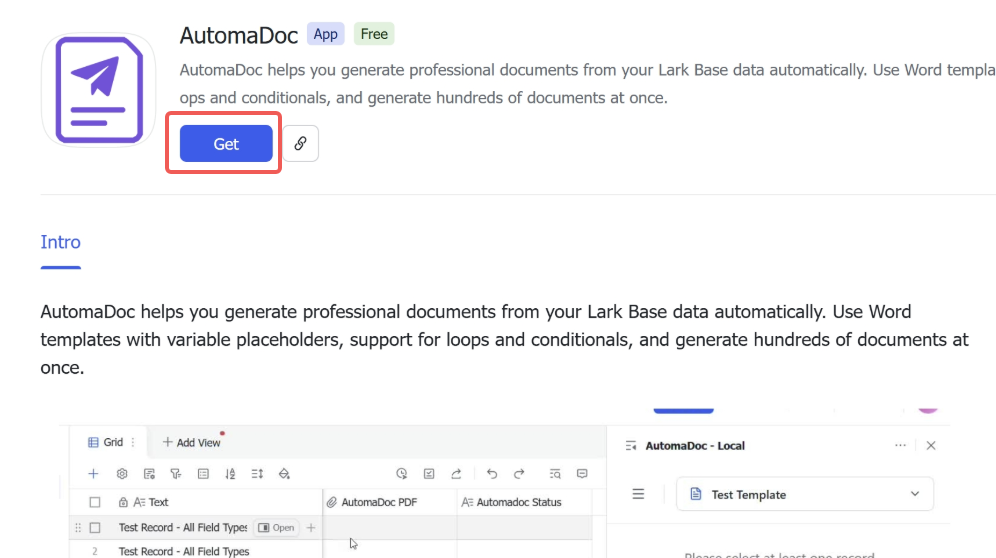
เข้าไปที่ หน้าแอป AutomaDoc
-
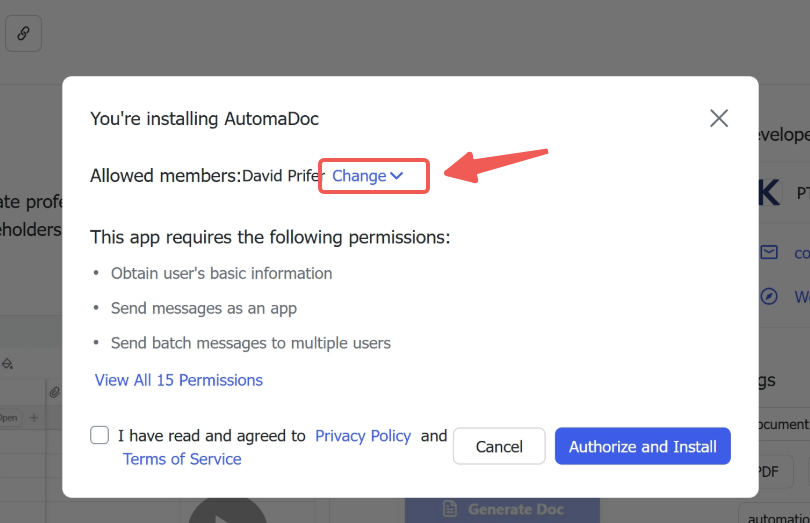
ติดตั้ง AutomaDoc สำหรับบริษัทของคุณ
-
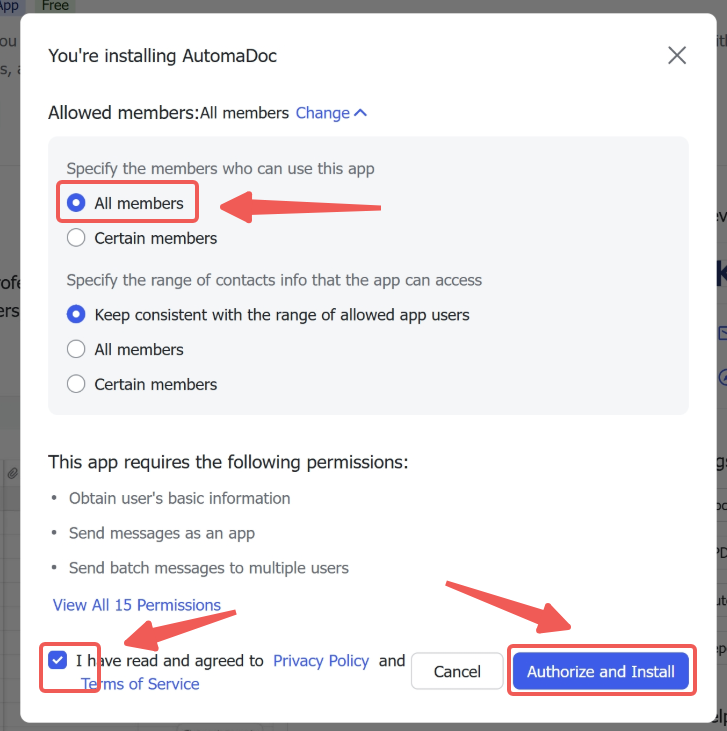
ติดตั้งให้ผู้ใช้ทุกคน (ไม่บังคับ)
-
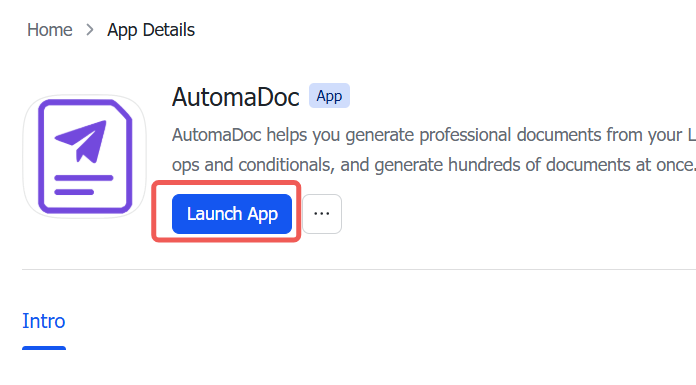
เปิดแอปขึ้นมา
ขั้นที่ 2: เพิ่มส่วนขยาย AutomaDoc จาก Base
หัวข้อที่มีชื่อว่า “ขั้นที่ 2: เพิ่มส่วนขยาย AutomaDoc จาก Base”-
เปิด Lark Base ของคุณ
-
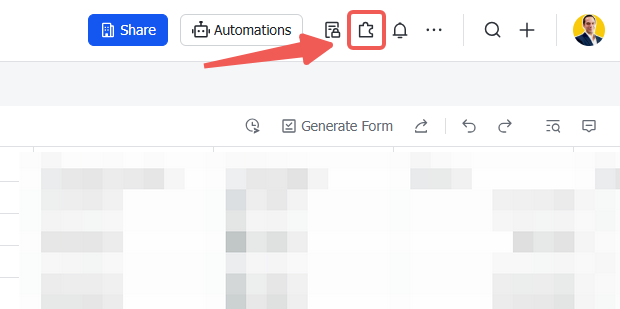
คลิกปุ่ม Extensions (ไอคอนจิ๊กซอว์) บนแถบเครื่องมือ
-
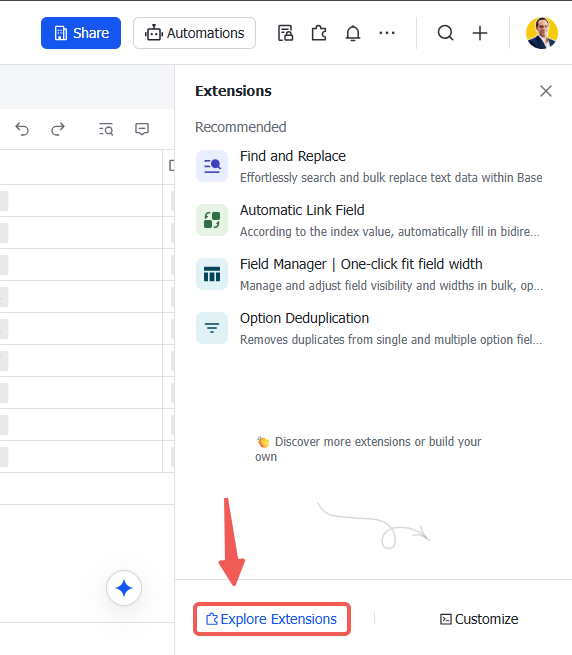
คลิก Explore Extensions ที่ด้านล่างของแผง
-
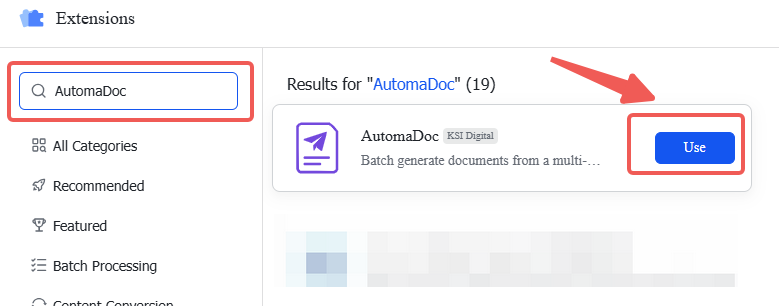
ค้นหา AutomaDoc แล้วคลิกเพื่อเพิ่ม
ขั้นที่ 3: เปิด AutomaDoc
หัวข้อที่มีชื่อว่า “ขั้นที่ 3: เปิด AutomaDoc”-
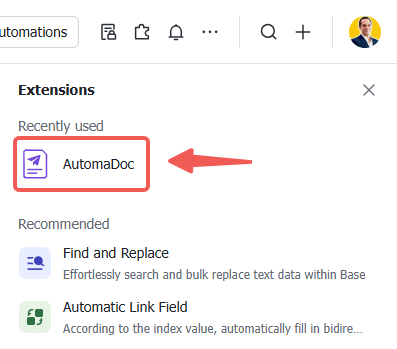
คลิกที่ AutomaDoc ที่เพิ่งติดตั้ง
-
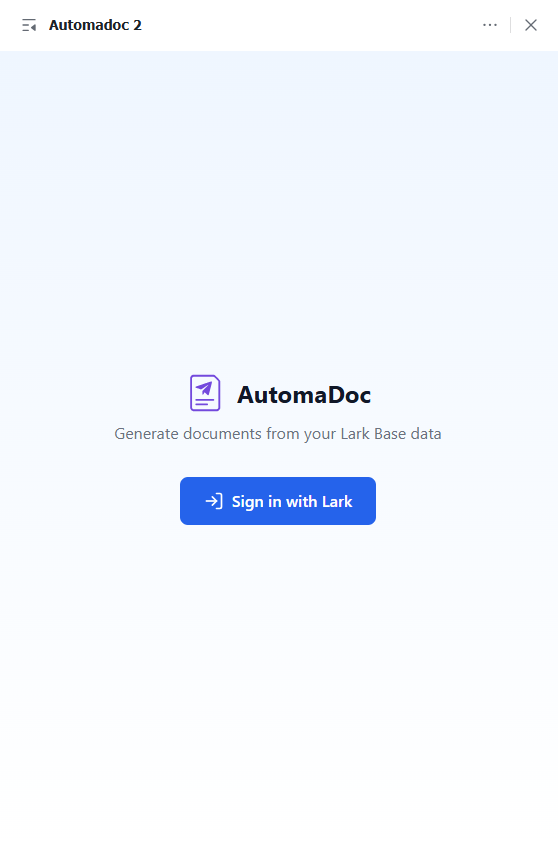
เข้าสู่ระบบแอปพลิเคชัน
การแก้ปัญหา
หัวข้อที่มีชื่อว่า “การแก้ปัญหา”ส่วนขยายโหลดไม่ขึ้น
หัวข้อที่มีชื่อว่า “ส่วนขยายโหลดไม่ขึ้น”ปัญหา: ส่วนขยายแสดงหน้าจอว่างหรือขึ้นข้อผิดพลาด
วิธีแก้:
- ล้างแคชของเบราว์เซอร์แล้วโหลดหน้าใหม่
ไม่เห็นตารางของฉัน
หัวข้อที่มีชื่อว่า “ไม่เห็นตารางของฉัน”ปัญหา: ไม่มีตารางปรากฏในส่วนขยาย
วิธีแก้:
- รีเฟรชหน้าเว็บ
- ตรวจสอบว่า Base ของคุณมีตารางที่มีข้อมูลอยู่จริง
ข้อผิดพลาดเรื่องสิทธิ์
หัวข้อที่มีชื่อว่า “ข้อผิดพลาดเรื่องสิทธิ์”ปัญหา: ขึ้นข้อความ “Access denied” หรือข้อผิดพลาดเกี่ยวกับสิทธิ์
วิธีแก้:
- ตรวจสอบว่าบัญชี Lark ของคุณมีสิทธิ์เข้าถึง Base นั้น
- ติดต่อผู้ดูแลพื้นที่ทำงานเพื่อตรวจสอบสิทธิ์ของแอป
อัปโหลดเทมเพลตไม่ได้
หัวข้อที่มีชื่อว่า “อัปโหลดเทมเพลตไม่ได้”ปัญหา: การอัปโหลดเทมเพลตล้มเหลว
วิธีแก้:
- ตรวจสอบว่าไฟล์เป็น
.docxที่ถูกต้อง (ไม่ใช่.docหรือรูปแบบอื่น) - ตรวจสอบขนาดไฟล์ — เทมเพลตที่ใหญ่มากอาจอัปโหลดไม่สำเร็จ ควรเก็บให้ต่ำกว่า 10 MB
- ตรวจสอบว่าคุณยังไม่ถึงขีดจำกัดจำนวนเทมเพลต (2 สำหรับ Free, 10 สำหรับ Pro)
ขั้นตอนถัดไป
หัวข้อที่มีชื่อว่า “ขั้นตอนถัดไป”✅ ติดตั้งเสร็จแล้ว! ต่อไปคุณสามารถ:
- 👉 เริ่มต้นใช้งาน — เรียนรู้พื้นฐาน
- 👉 ไวยากรณ์เทมเพลต — เชี่ยวชาญไวยากรณ์ตัวยึดตำแหน่ง
- 👉 สร้างเอกสาร — เริ่มทำงานอัตโนมัติ